Media specialists of the 21st century are not just responsible for
selecting literature and managing collections. (Brooks, 2008) They
are also responsible for teaching information and technology literacy, which
includes teaching the skills needed to use a variety of software tools.
(Naslund & Giustini, 2008) To meet the needs of the students and
colleagues of the 21st century,
the media specialist is constantly learning to select and adopt technology, as
well as teach and promote new technology. Schools have embraced the use
of Web 2.0 tools, which enable users to interact, collaborate, and share.
Therefore, media specialists must also embrace the Web 2.0 technology and
redefine the profession so that their profession does not become
obsolete. (Brooks, 2008) Hence, School Library 2.0 is
introduced. (Harris, 2006)
What is involved in becoming a School Library 2.0? It
involves embracing the Web 2.0 tools to reinvent the school library into “a
participatory, social, user-centered environment” that uses technology to
increase collaboration and student interaction. (Naslund & Giustini,
2008, p. 56) “Web 2.0 applications include, but are not limited to,
social networking sites, blogs, wikis, podcasts, video blogs, content creation
applications, photo sharing, virtual worlds, and games” (Husid, 2010).
Blogs, wikis, and social bookmarking sites are commonly used in
educational settings.
Blogs are a form of online journaling. In an educational
setting, blogs, such as Blogger and Edublogs, are used as a place for students
to record their educational experiences, as well as reflect on those
experiences. Since other students can post on their peer’s blog, a blog
can be used as a communication tool where students are provided an opportunity
for debating an issue and collaborating on an issue. Some schools use
blogs as a primary webpage. (Naslund & Giustini, 2008)
Wikis are websites that are easily updated by any web user.
In an educational setting, wikis, such as Wikispaces and Wikipedia, are being
used as collaborative writing tools. Students not only find information
about a topic, but they also create a product or a webpage about the
topic. Since other students have the ability to add content to the wiki,
it is a great collaboration tool. (Naslund & Giustini, 2008)
Social bookmarking sites are used to organize bookmarks so that
they can be shared with other users. In an educational setting, social
bookmarking sites, such as del.icio.us and Diigo, are used to allow students to
share references, websites, and documents with the peers. Teachers and
media specialist can also use social bookmarking sites to share bookmarks with
other teachers or students. (Naslund & Giustini, 2008)
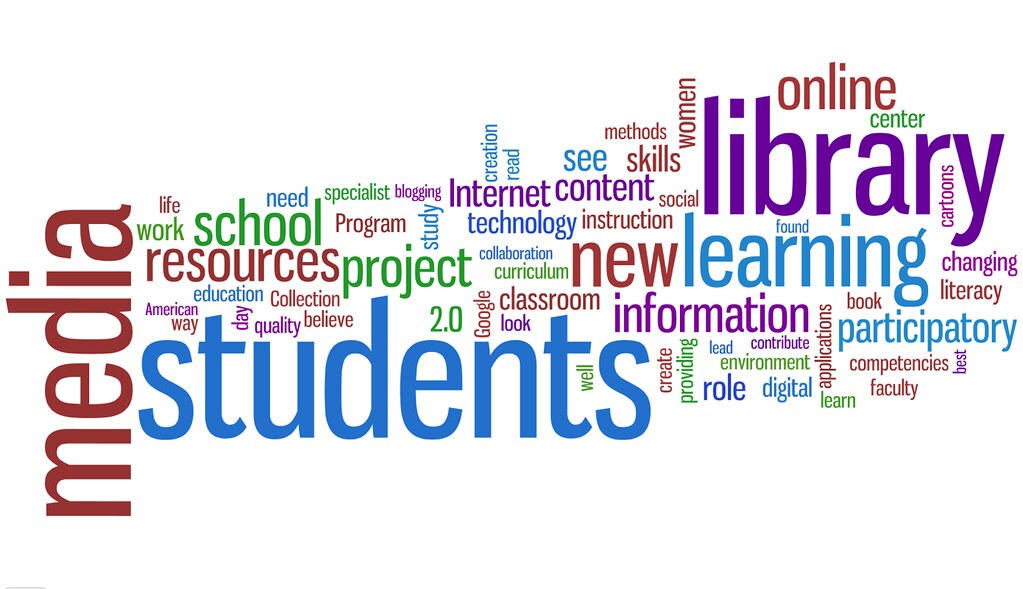
The media specialist is responsible for integrating technology into
the school library program to meet the needs of the students and
teachers. Therefore, the school library program must embrace the Web 2.0
technologies and become a School Library 2.0. This will ensure a
technology rich environment that allows for students to interact and
collaborate with other students. (Naslund & Giustini, 2008)
References
Brooks, L. K. (2008). “Old school” meet school library 2.0: Bump
your media program into an innovative model for teaching and learning. Library Media Connection, 26(7), 14-16.
Harris, C. (2006). School library 2.0: Say goodbye to your
mother’s school library. School
Library Journal, 52(5), 50-53.
Husid, W. (2010). Criteria for evaluating web 2.0 and online
technologies for use in the curriculum. Current
Studies in Librarianship, 30(1/2), 27-36.
Naslund, J. & Giustini, D. (2008). Towards school library 2.0:
An introduction to social software tools for teacher librarians. School Libraries Worldwide, 14(2),
55-67.
Seroff, J. (2009). 3601935735_c6163a4646_b. [Photograph]. Retrieved on May 4, 2014 from http://castillejaplc.blogspot.com/2009/06/library-20-by-jole-seroff.html
Seroff, J. (2009). 3601935735_c6163a4646_b. [Photograph]. Retrieved on May 4, 2014 from http://castillejaplc.blogspot.com/2009/06/library-20-by-jole-seroff.html

This comment has been removed by the author.
ReplyDeleteI've not heard of social bookmarking before, that is something I will definitely look into.
ReplyDelete